


While using Infor Query & Analysis (Infor Q&A) version 11, you may encounter the following error:
“Fail to initialize Excel cell’s context menu to include the Drill Profile menu items”.
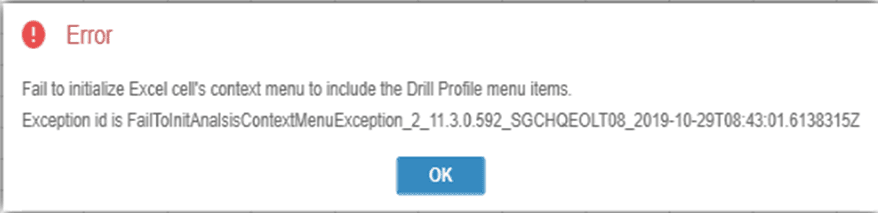
Additionally, upon logging out of Q&A application, a COMException may appear.
These errors occur because Q&A is unable to load its Excel-based components correctly.
Causes
This issue typically happens when Excel closes unexpectedly while Q&A 11 is in use. Common reasons include:
- Excel crashes
- The PC hangs or freezes
- Excel forces a restart
- As a result, the Q&A Add-in becomes disabled by Excel
Once the add-in is disabled, Q&A cannot load menu items, causing the error.
Solution
To resolve the issue, re-enable the Q&A Add-in in Excel by following these steps:
Step 1: Open Excel Options
- Open Excel
- Go to File → Options → Add-ins
Step 2: Find Disabled Items
At the bottom of the Excel Options window:
- In the Manage dropdown, select Disabled Items
- Click Go
Step 3: Re-enable Q&A Add-in
- Look for any Q&A Add-in entries in the disabled list
- Select the add-in
- Click Enable
Step 4: Restart Excel
Close Excel completely and reopen it. The Q&A Add-in should now load correctly, resolving the error.
If the issue persists, please contact TRG Support via email at trghelp@trginternational.com for additional assistance.