


Data Send is a functionality of Infor Q&A. It facilitates the transfer of information from a Microsoft Excel worksheet directly into the user’s chosen database. When performing Data Send , especially when the action is done in Infor Q&A version 11, users might encounter some issues, one of which is the SSC error that TRG will cover in this article.
Issue
When performing Data Send in Q&A 11, users may receive an error message such as:
SSC Return Parse: Object reference not set to an instance of an object.
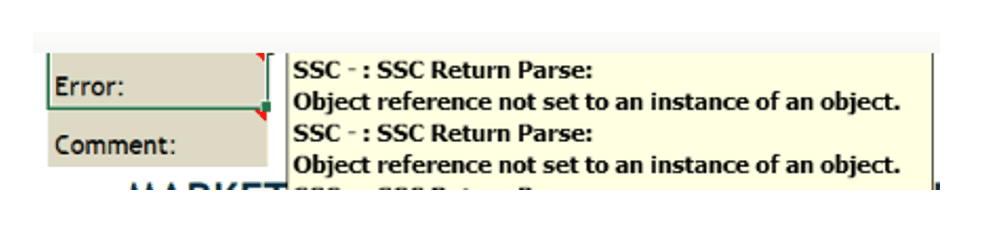
This error appears in the Excel spreadsheet comment field and does not clearly indicate the root cause. As a result, users are unable to determine why the Data Send failed.
Users are unable to determine the real cause of the Data Send problem with this kind of error message.
Solution
More descriptive and meaningful error messages are available in SunSystems, in the Ledger Import Error Report within function LIM.
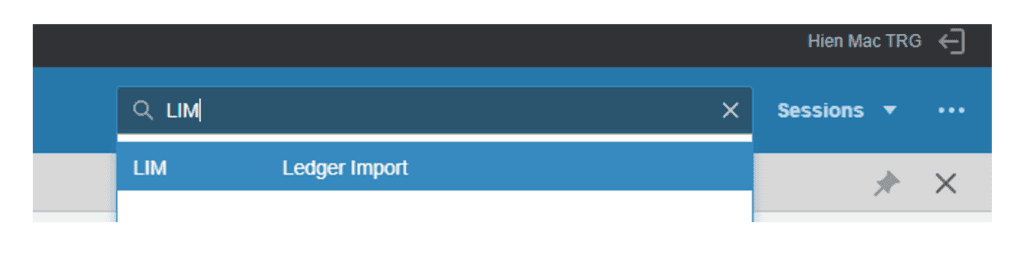
Follow the steps below to identify the exact cause of the data send issue:
- Log in to SunSystems
- Navigate to function LIM (Ledger Import)
- In LIM, you will see a list of imported files with errors
- Select the error file and click Review. This allows you to confirm:
- Import file description
- Date and time last updated
- User ID who performed the import
- This helps ensure you are reviewing the correct file.
💡 Tips
To sort the list in ascending or descending order, click on the column header and use the Sort button.
- Go to Batch Process → select Ledger Import Process
- Click Process
- Wait for the report to run.
- The system will display the detailed error message(s) explaining why the import failed.
- Click OK to continue after reviewing the errors.
If the issue persists, please contact TRG Support via email at trghelp@trginternational.com for additional assistance.
See also
On-demand Training Courses for Infor Q&A
Solved: Q&A 11 Fails to Include Drill Profile in Excel’s context Menu