


This article explains the symptoms, cause, and recommended solution to solve the issue users encountered when using Infor Q&A Data Send to import data.
Issue
When importing data via Data Send, the system displays the following error message:
Out of present range (Exception from HRESULT: 0x8002000A – DISP_E_OVERFLOW)
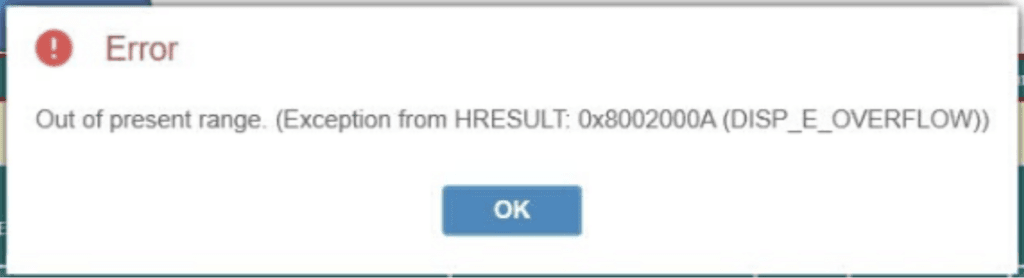
This means the import process cannot be completed successfully.
Cause
This error occurs when one or more values in the Data Send file exceed the allowed range or do not match the system’s expected data format. Common causes include:
1. Amount value exceeds system limits
- The amount is too large for the allowed numeric range
- Accumulated values exceed the maximum supported value
2. Incorrect number format
- Invalid use of thousand separators or decimal symbols
- Regional format mismatch (, and . used incorrectly)
- Hidden spaces or special characters in numeric fields
3. Excessive decimal places
- The number of decimal places exceeds the currency configuration in SunSystems
4. Negative values not allowed
- Negative amounts are imported into accounts or transaction types that do not support them
5. Invalid data type
- Numeric fields (Amount, Quantity, etc.) contain text, formulas, or blank/invalid values
6. Incorrect date format
- The import file uses the date format DD/MM/YYYY (e.g. 31/12/2025).However, the system only accepts date values in ddmmyyyyformat (e.g. 31122025).
- This causes the system to fail when converting date values during import.
Solution
To resolve, please perform the following checks beforere-importing the Datasend file:
- Ensure all Amount and Quantity fields contain numeric values only.
- Remove all Excel formulas and convert values to plain numbers.
- Verify number formatting matches system regional settings.
- Confirm the number of decimal places aligns with the currency setup in SunSystems.
- Check whether negative values are allowed for the relevant accounts or transaction types.
- Convert all date fields to text format and use the required ddmmyyyy date format.
- Perform a test import with a small number of rows to identify problematic records.
If the issue persists, please contact TRG Support via email at trghelp@trginternational.com for additional assistance.
See also
Solved: SunSystems Login Error via Infor OS
Solved: Unable to Log In to Infor OS Page
Solved: Q&A 11 Fails to Include Drill Profile in Excel’s context Menu